
How Nearby Chat Protects Your Location
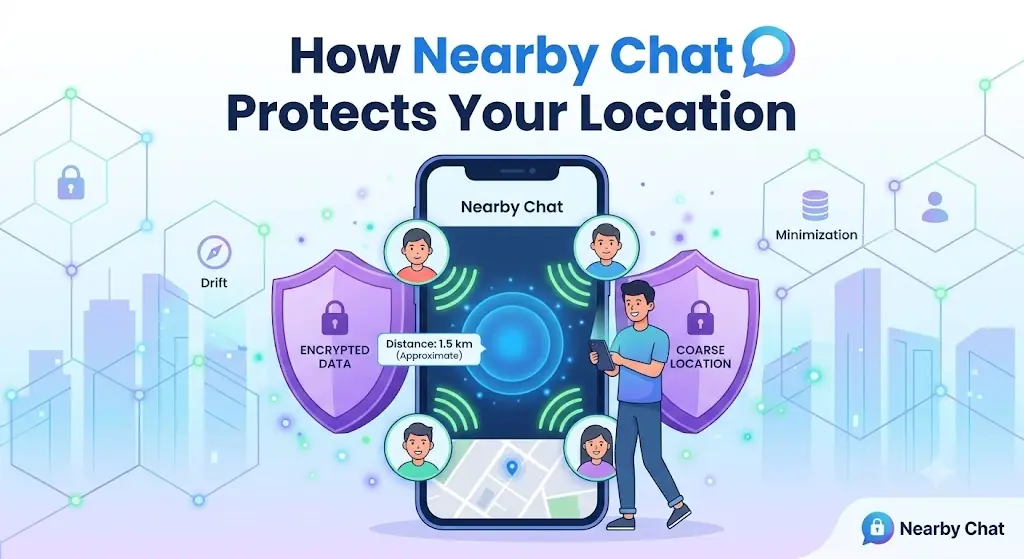
"Chat with people nearby" sounds great until the obvious question hits: wait, does that mean strangers can see where I am? It's the right question to ask about any app with a location feature — and the answer, at least on Freezy, is no. Nearby matching and location privacy are not opposites, as long as the feature is built carefully.
Here's how Freezy's Local Mode works, what other users can and cannot learn about where you are, what controls you have, and some location-safety habits worth applying to every app on your phone — not just this one.
What Local Mode and Nearby Radar do
By default, Freezy matches you with random people from anywhere in the world. Local Mode narrows that pool to people in your general area, so you're more likely to meet someone from your own city or region. Nearby Radar is the discovery side of the same idea — it surfaces people in your area who are also open to local chats.
The point is simple: matching with someone in your area changes the texture of the conversation. Same weather, same local news, same "did you hear what happened downtown" — it gives two strangers instant common ground.
Why approximate location only
Here's the key design decision: Freezy uses your approximate location for matching, and your exact position is never shared with other users. The person you match with sees, at most, a general area — never GPS coordinates, never a pin on a map, never a street or neighborhood.
Think of it this way: the matching system needs to know roughly which pool of people to draw from. It doesn't need — and other users definitely don't need — anything more precise than that. So the precision stops at the level that makes matching work, and no finer.
Concretely, another user in a nearby chat cannot:
- See your GPS coordinates or your position on a map
- Learn your address, street, or neighborhood
- Track your movement between chats or sessions
- Work out your distance from them with any real precision
And nearby chats are still anonymous like every other Freezy chat — no name, no account, no profile attached. "Someone in your general area" is all a match ever amounts to.
You're in control
- Local Mode is opt-in. Nothing location-based happens unless you turn it on. The default experience is worldwide matching.
- Turn it off anytime. Switch back to global matching whenever you like — mid-session, between chats, whenever.
- Browser permission is the gate. Location access goes through the standard browser permission prompt, and you can revoke it in your browser settings at any time.
- No location, no problem. Declining location access doesn't lock you out of Freezy — you simply chat in worldwide mode.
Location-safety habits for any app
Good location hygiene shouldn't stop at one platform. A few habits worth keeping everywhere:
- Ask what the feature actually needs. A weather app needs your city; it doesn't need precise GPS around the clock. If an app demands more precision than its feature justifies, that's a flag.
- Prefer "approximate" and "while using". Both iPhone and Android let you grant approximate instead of precise location, and only while the app is open. Use those options liberally.
- Don't undo the protection yourself. The most common location leak isn't technical — it's telling a stranger your neighborhood, school, or workplace in conversation. Software can't protect details you volunteer.
- Watch what's on camera. Street signs, storefronts, and landmarks visible in your video can reveal more than any location feature does.
- Never agree to meet someone you just matched with. Local chat is for conversation. Anyone who pushes quickly for an in-person meetup or your exact whereabouts is showing you a red flag — skip, and use the report button. Our safe chat guide covers this in more detail.
Why local chat is worth it
With the privacy question settled, it's worth saying why people enjoy Local Mode in the first place. Random global chat is great for variety, but local matches have a different kind of charm:
- Same timezone. You're both awake, both having the same kind of Tuesday evening. No 4 a.m. matches.
- Shared context. Local sports, local food debates, that one intersection everyone hates — conversation starters you'd never have with someone across the world.
- Familiar rhythm. Same language and slang, more often than not, without either of you working at it.
- Your city, new people. It's a reminder of how many interesting strangers live within a few miles of you that you'd otherwise never cross paths with.
The bottom line
Nearby chat and location privacy aren't in conflict when the feature is designed with a light touch: approximate location for matching, nothing precise ever shown to other users, opt-in by default, off whenever you want. Add a few sensible habits of your own — vague answers to "where exactly are you?", nothing revealing in the camera frame — and you get the fun of meeting people in your area without giving away where you actually are.
Meet people near you — privately
Try Local Mode on Freezy and chat with people in your area. Your exact location is never shared, and you can switch it off anytime.
Try Nearby Chat